
Browsers Articles
On Weather - The State of Digital Information Access
by Stephen Fluin 2013.09.17One of the most common tasks on the internet today is looking up the weather. I woke up early this morning, around 5:29AM and was contemplating a run. I already had a browser open because I had been watching some YouTube videos, so there were a hundred different ways for me to get the weather. Here are four that I would commonly do:
- Ctrl+T (Open a New Tab), "weather", Ctrl+Enter (Open as .com site)
- Ctrl+T (Open a New Tab, "?weather" (Search for "weather")
- Grab Google Glass, put it on, swipe 3 times to the left.
- Reach into my pocket and grab my phone, Turn it On, Unlock It, Press Home, swipe left (I have Google Now on my left home screen).
There are plenty of other ways, but these hit the main capabilities of modern technology. Use a mobile device, use a browser-based powerful computing device, or use a wearable.
Weather Service
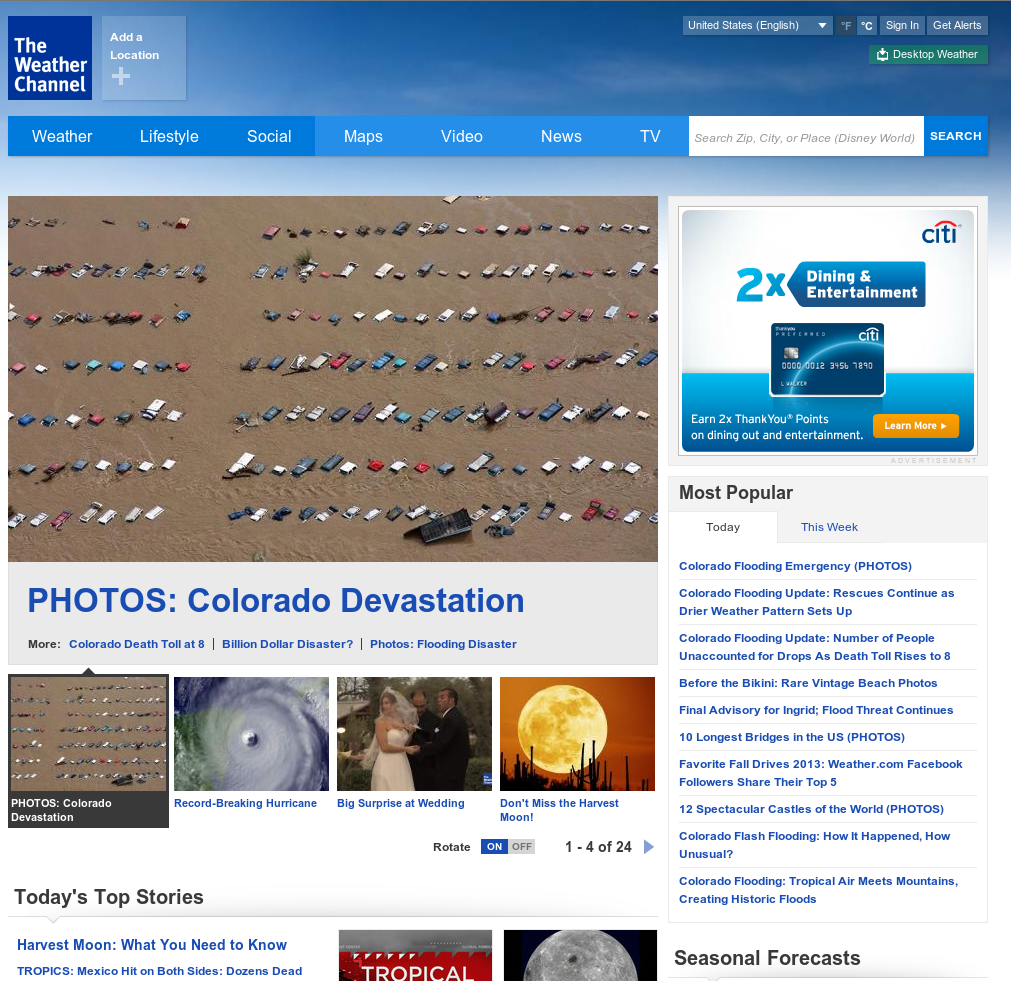
My first inclination of using a service such as weather.com to provide me information was a complete failure. Not only did the website fail to recognize my location based on IP or any of the other publicly available information about me (why not ask my Browser? Chrome knows pretty much where I am), but it completely failed to give me any WEATHER. The human mind has been fantastically written through the power of brain plasticity to use the internet and the tools around us as an extension of ourselves. I clearly wanted to do a simple lookup of the weather in order to make some decisions regarding clothing and morning activities. If your tool doesn't support this instantly and effortlessly, why in the world would I want to use it?
Google Search
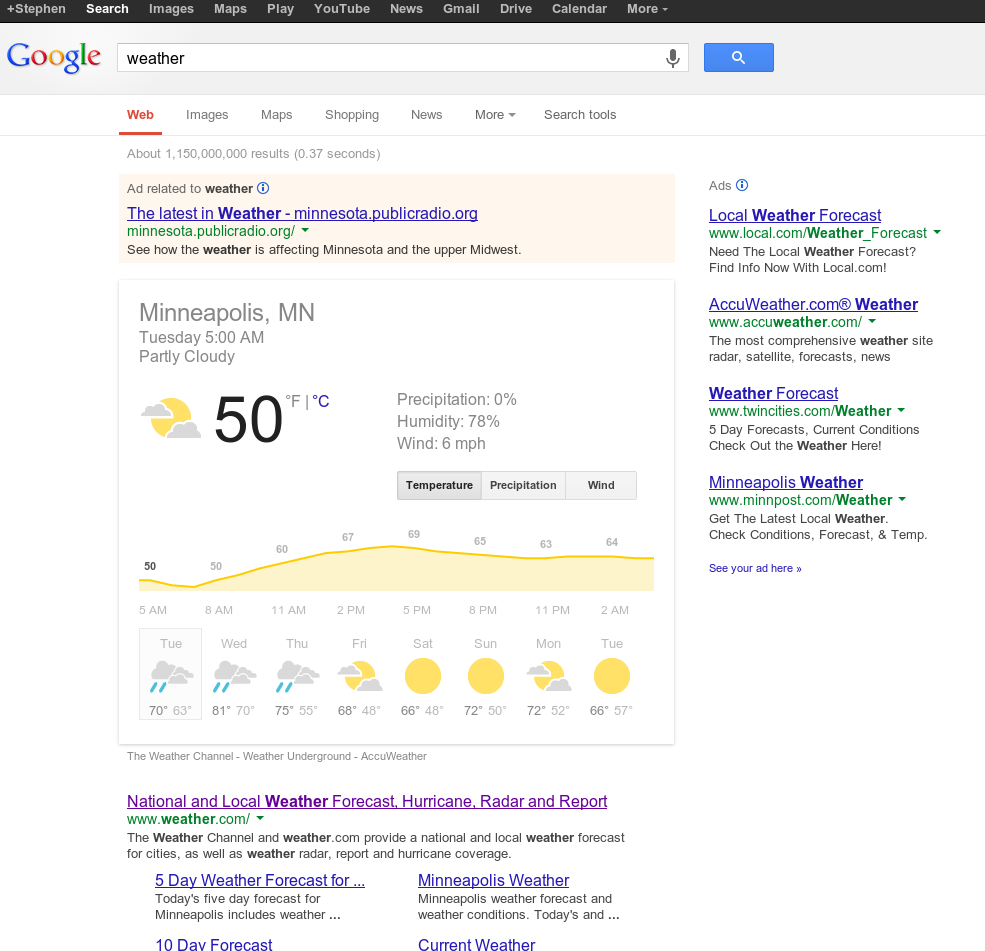 My second attempt was with a Google Search. Thankfully this recognized my location, and gave me an extremely useful forecast for the day. There is even a giant section of advertisements above the information I'm looking for, but I can still see instantly what the temperature looks like for the day.
Google Glass
It may seem like a lot of effort to reach over, put on a pair of glasses, and activate a couple swipes. When compared to typing at a keyboard that my fingers are already at, it definitely is; but when you take into account the fact that I'll be wearing these glasses for the rest of the day, and this is an interaction I will most likely perform 5-15 times over the next 8 hours, the convenience and predictable nature make it reasonable again.
Cell Phone
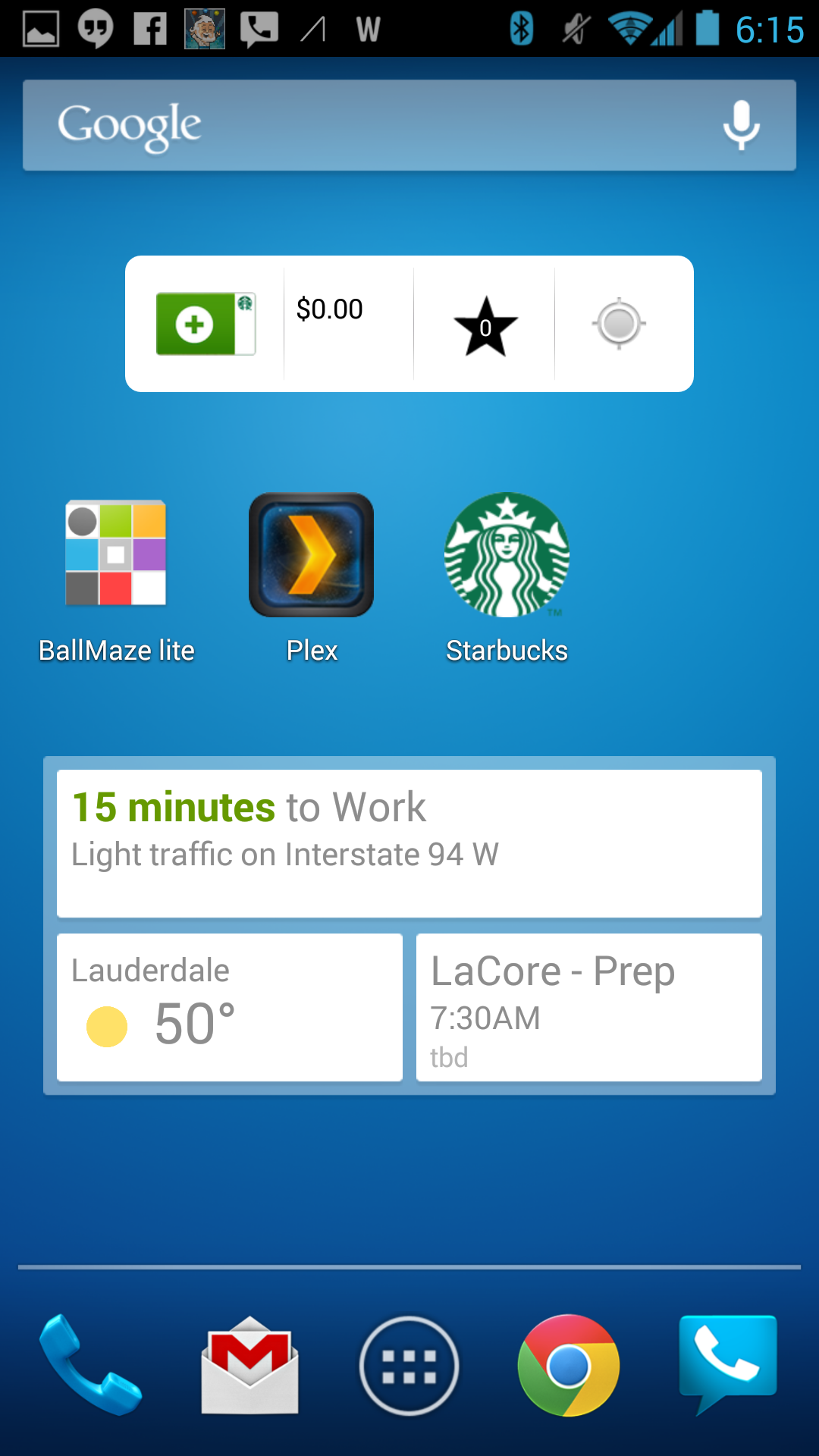
I used to think of smartphones as these intelligent devices that we carried around with us that made our lives easier. This was originally the case, but as we cram more and more capabilities into each phone, as well as a plethora of services all competing for our attention, the difficult of using a smartphone keeps increasing. I had to perform 3 more actions on my phone than I did using Google Glass. This reflects the incredible power of mobile computing. I've noticed it again and again, wearable computing for dedicated activities often improves the quality and quantity of those activities. Great examples are picture taking or sending messages. I send far more messages and take more pictures through Google Glass because it's so easy. I don't need to worry about getting distracted by yet another 30 notifications. I can just do.
Summary
I think it's important to note that this little test reflects the idea that desktop computers and large powerful machines with giant screens will not be disappearing. With the introduction of each successive generation of computing, we find ourselves more and more choosing the right tool for the job, but needing tools at every form factor.
permalink
The Next Frontier for Browsers in 2013
by Stephen Fluin 2012.12.28Browsers as we know them have come a long way. It is common worldwide to find Chrome, Firefox, or even Opera running on a computer. The dark days of ubiquitous IE6 with no support or innovation are for practical purposes behind us. IE now holds a minority share, meaning interoperability is a key for both browser developers as well as website and web application developers.
 HTML5 is here, and with it the ability to create rich dynamic applications that don't require a synchronous or latency free internet connection are commonplace. From Gmail to Outlook, from Facebook to Reddit, client-side web applications run our lives.
Gaming has come a long way too. Since the introduction of Flash, gaming in the browser has become a reality, and with support from companies like EA and games like Quake Live and even games like Minecraft capable of running as a browser plugin, browser-based gaming is here to stay.
Where then will we see improvement in 2013 and beyond? What challenges will both application developers and browser manufacturers need to overcome?
The key to understanding the future of the browser, it's important to understand the challenges technologists still face today.
The Browser Challenges
The Evergreen Challenge
Chrome and Firefox and Opera (which represent a 60% market share) have interaction-free transparent updates that keep users safe, secure, and up to date with the latest and greatest synchronization and HTML/JS/CSS capabilities. Microsoft has refused and failed to keep up with this level of service. With the launch of IE10 (on Windows 8 only, currently at about 4% market share) we are seeing a continued attempt to keep up with the latest web technologies, but Microsoft will not be able to keep up. With a release cycle that is tied to operating system versions rather than the speed of web innovation, Microsoft will never be able to offer the same features that a now-standard 6 week release cycle offers.
The Proprietary Challenge
When software development companies ship applications, most of the time they want to keep their code private. Companies like Google, Mozilla, Red Hat, and others have discovered that a successful sustainable model relies more on providing high-quality services than keeping secret code away from your customers. There are a huge number of companies that do not share this philosophy and want to keep their code private and secret.
This is a problem with current web technologies because the client-side javascript that we have today runs entirely on the user's browser unprotected. Any user can see what is happening, and with some simple work, can reverse engineer a client-application.
There are a lot of obfuscation tools, but these only take the problem so far. What companies are really looking for is access to ship binary machine code that a user could not interpret or decompile.
One of the major pushes today to support this is with what Google calls the Native Client (or NaCl). This client provides a method for providing exactly what these software companies are looking for. The challenge with this approach is that coming from Google, it may be hard to get universal browser support. This may stop NaCl in its tracks.
The Graphics Problem

The final major problem I feel that we are going to be tackling in 2013 is the graphics problem. People are using more and more powerful computing devices every day. Whether this is desktop computers, tablets, or smartphones, everything keeps getting better. Currently the methods and technologies for accessing this hardware are limited. WebGL is an attempt at answering this. WebGL offers the ability to run OpenGL commands (which work on almost all modern general purpose computing devices) via web applications.
There are two challenges facing us in 2013. The first is adoption. We still have companies like Apple refusing to allow WebGL to run in the iOS browser. This stops any applications using those technologies dead at the door. The second challenge is in standardization. DirectX and standard OpenGL have a huge legacy of optimizations, performance improvements, and stability improvements. It's going to take a lot of effort to achieve the same quality and level of effects as what we have in the more native alternatives.
permalink
Tales From The Surface Part 1
by Stephen Fluin 2012.11.01The mobile landscape is like a riptide. Across the public sector, Android is dominant across the smartphone market, and up-and-coming in the tablet world. Intel, ASUS, Acer, Samsung and LG are working on Ultrabooks to continue the desktop's legacy. In the enterprise, Apple reigns with the iPad. Microsoft, former champion of the personal computig world is a relative latecomer to the mobile space. With their Surface tablet, Microsoft is attempting to extend their former desktop dominance into the mobile space by consolidating the ideas of mobile and desktop into a single platform, and a single device.
Within hours of the launch announcement, I pre-ordered a Microsoft Surface with a cyan touch keyboard, and around noon on October 26th, I first got my hands on this new device. The following is a chronology of my feelings and observations with the tablet.
- Touch Keyboard is easier to user than expected - First getting my hands on this very interesting 3mm keyboard, I felt like I was able to find the home row and type without looking effectively. It's amazing that you can rest your fingers on the keyboard, and it recognizes the keypress only when you want to hit a key. It's also really neat how the device recognizes keyboard position, and ignores the keyboard if it's not in a position for use.
- Touch Keyboard is harder to use than expected - Once I got past the initial excitement and I got into actual content creation, I found that I was much slower than I need to be. About 30-40% of the characters are dropped when I type quickly on the device. I can increase that performance, but I have to slow down to do so, giving the device a longer wait between keypresses. Microsoft says it takes 3-4 days to become acclimatized to the keyboard.
In defense of the keyboard, one of developpers in our office commented that if a keyboard takes 4 days to learn, it was designed poorly. I disagreed, and I challenged him to a typing challenge with me on the Surface and him on the iPad. I would have smoked him out of the box having never touched Surface before.
- The touchpad on the touch keyboard is really nice - Despite my feelings about the keyboard for typing, one of the truly amazing things is there is a multi-touch pad sitting in the ultra-thin 3mm cover. It's surprisingly accurate and responsive. When the touch screen lets me down, I can always pull out the traditional cursor to get the job done. Using gestures on the touch cover feels very natural, even compared to touching the screen.
- I feel like I have no home - This was a suprising problem for me. On both Android and iOS, I seem to have developped a compulsion to return "home". On the Surface when I finish a task I don't have a default action like "home". The start menu is close, but because of the Windows 8 split between the new interactive start menu and the traditional desktop, it doesn't yet feel like home.
- It's cool and nice to have a full windows desktop - Launching any office programs pops you out into what looks like a traditional Windows desktop. This means that I have full control of multiple-window placement. The only problem with this is that are very few apps capable of using this, and Microsoft is pushing developers into using the Metro style interfaces where applications can be full screen, 1/4th screen, or 3/4ths screen. It's also strange that there are no apps for this Windows desktop due to the Windows RT complexities, which means that consumers are going to be really confused by the lack of being able to do all of the things they are used to on a Windows desktop.
- They should have put correction into their keyboard - Perhaps this is still coming, but with a non-traditional keyboard, it would have been much better to have automatic correction or prediction like Android has for the onscreen keyboards.
- Sign in problems - I can't believe I had to sign it messenger, games, office, system, store, videos, skydrive separately. There's no central account management or authentication mechanism. Each application requires independent connection to my Live account, including Office. In total I had to sign into my Live account 8 times. What happens if I change my password?
- Stock Camera asked me for permssion to take pictures and video - That made me laugh.
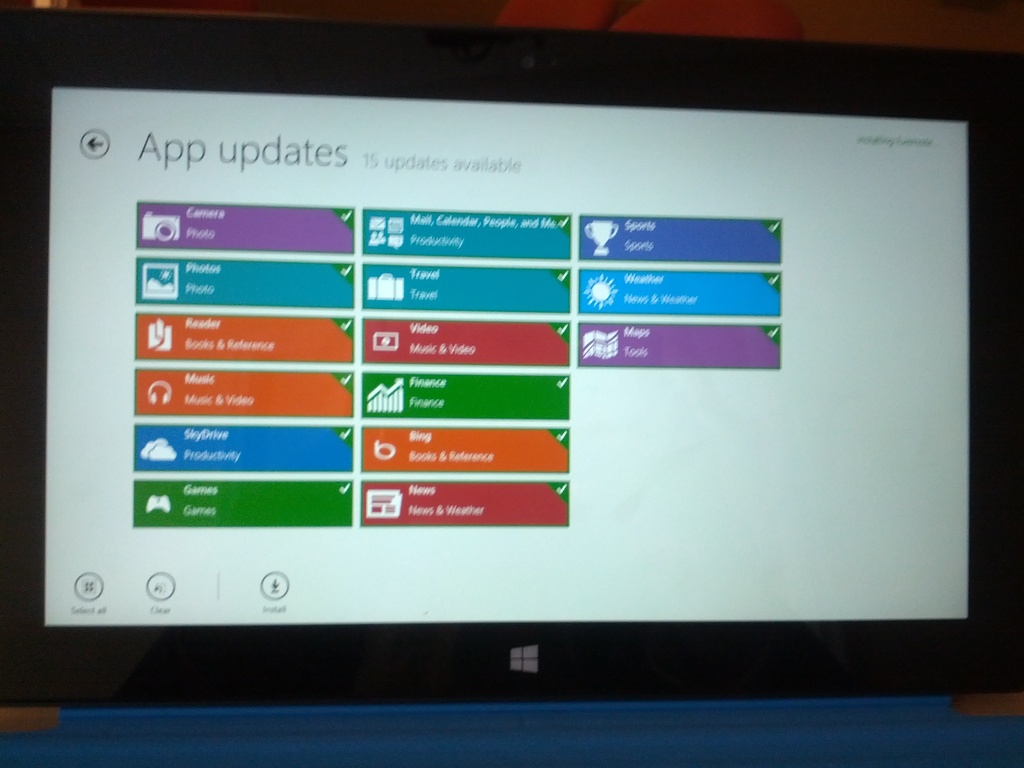
- 14 updates right away - I guess this is just launch day. These updates took almost a day to finish.
- The left side swipe navigation doesn't make sense - Why would I want to switch back and forth between two apps? My default behavior when task switching is to look for a list of running, available, or recent applications. I guess it's nice to have a gesture to go back one application, but you have to go THROUGH that interface to get to the list of appilications. Additionally, the only way to close an application is to pop open the task list, and then use the mouse to right click the icon.
- The multitasking seems really sweet - It's awesome being able to pull up evernote or an email on a portion of the screen while having a game or a website or an application open on the rest of the screen. I really wish android or iOS had that. Multitasking isn't user multitasking until you can do that. On Android it's impossible to receive an email asking about a meeting, pull out the calendar to check dates. With Surface this is now possible and easy on a tablet.
- Packaging had really nice pull tabs - The packaging was really high quality, and every piece of tape had a pull tab for easy-opening. It was a very nice touch and a rare example of packaging done well.
- I think my store crashed - I can't click o back or "install 14 updates". Had to reboot to get things going again.
- I love the kickstand - The build quality of the hardware on this device is unquestionable. The kickstand is easy to operate and makes the device really pleasant to use on a table with the keyboard.
- Weird HDMI incompatibilities - I connected the HDMI cable and then I lost left edge (task manager) capabilities. Had to go back to the smart menu,then desktop,then task manager,then switch in order to get back to evernote.
- Missing some polish - When apps launch (like email sign-in prompts) it doesn't put the focus where need it to go to start typing right away.I have to touch the screen or use the mouse to make sure the keyboard is in the right spot.
- Calendar and Contact integration is great - I added my Google accounts and everything synced quickly and easily.
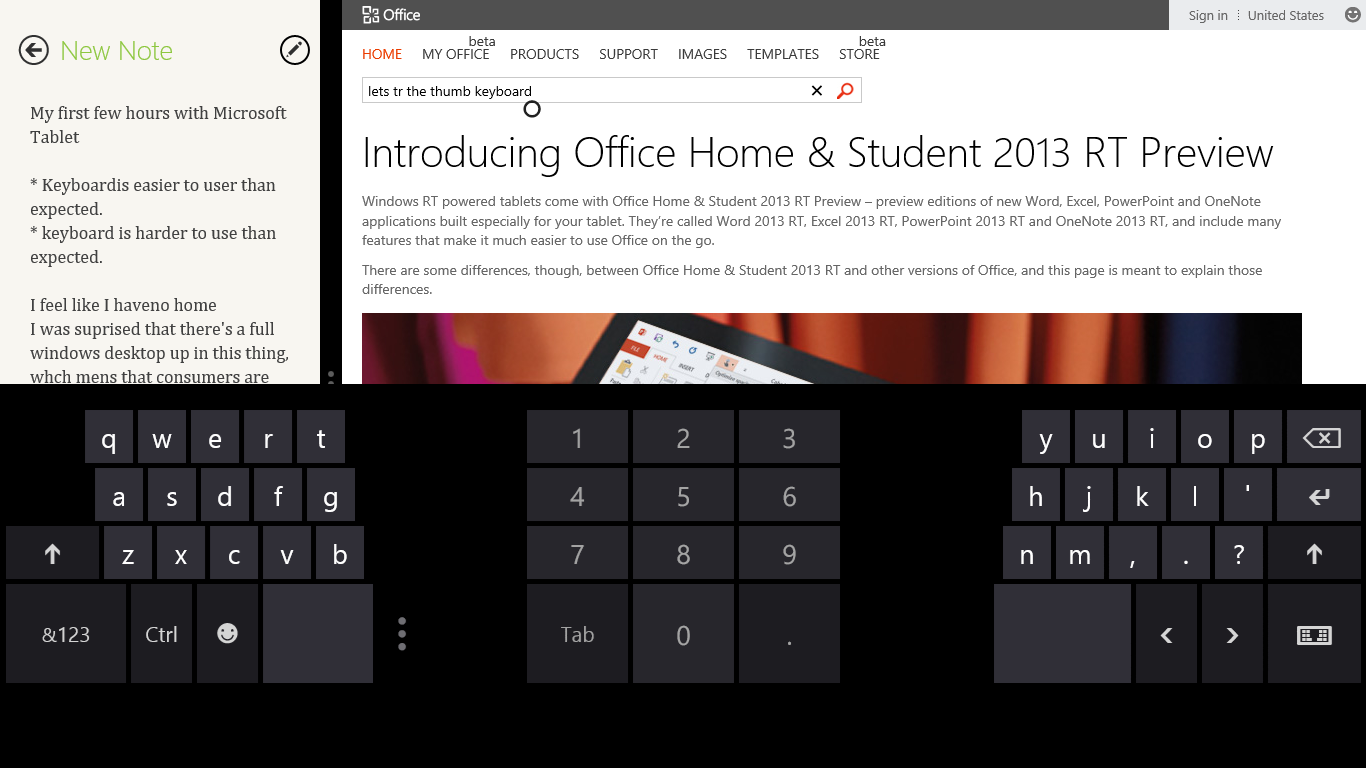
- The Soft Keyboard has a lot of whitespace - It's a little weird how much black / unused space there is on the touch keyboard. I typically love thumb-style tablet keyboards, but this one left me reaching for the hardware keyboard every time.
- Windows 8 email needs some work - I'm not a fan of the native email client on Windows 8 RT, and there are currently NO alternative native options. Gmail integration doesn't work very fast, and it doesn't suppot 2 factor authentication.
Overall now that I'm almost a week into the Surface, I find myself pulling out my Nexus 7 or Galaxy Tab 10.1 with keyboard when I really need to get things done. Whether it's missing a battery % indicator, or even just being able to see the time without touching the screen, the tiny details are adding up to a lot of frustration. I've gotten better at the keyboard, and I think that as a hardware device, the Surface is a piece of art.
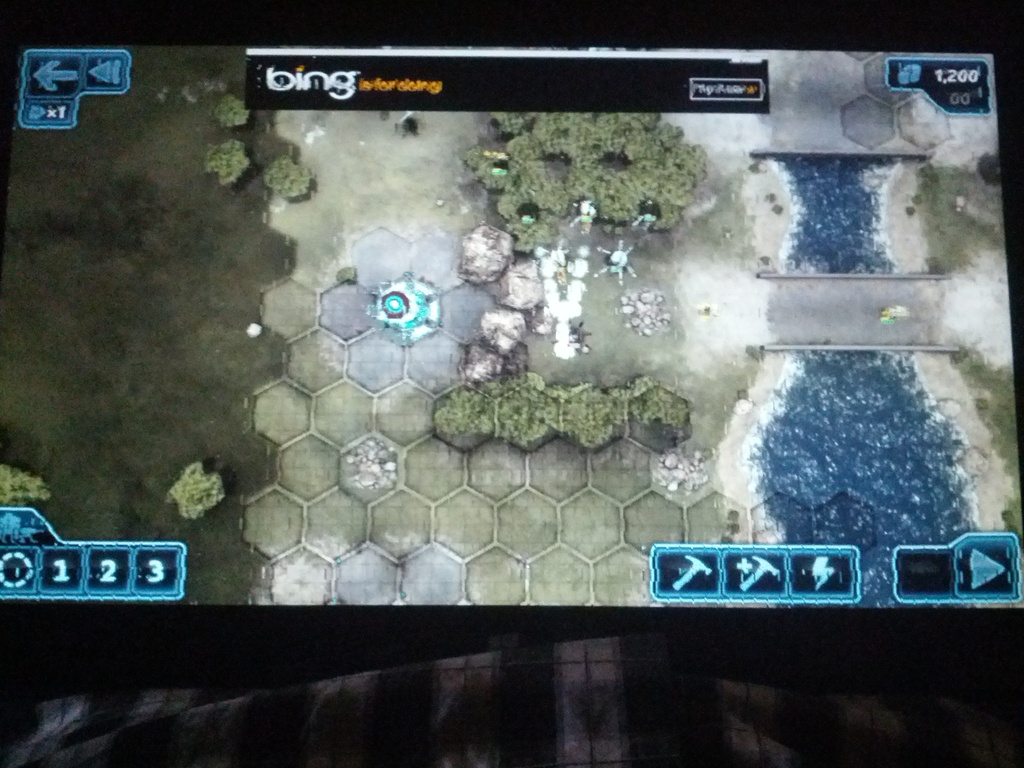
In my time with the Surface, I've also experienced several fatal application and OS-level crashes. I haven't seen the Windows RT blue screen of death, but I've had several times where the system would become unresponsive entirely, or where the visual system would become corrupted.
Windows 8 RT is going to be a confusing disaster for consumers. With all of the downsides of a new empty mobile platform, and none of the benefits of the Windows ecosystem, I predict Windows 8 RT is going to flop. Users will be happier with a traditional Windows 8 device (possibly with a touchscreen or ultrabook), or an Android or iOS tablet.
permalink
Make your website more SPDY
by Stephen Fluin 2012.04.18Quick and Dirty MortalPowers.com Mobile Optimizations
by Stephen Fluin 2012.03.20Download YouTube or Other Flash Videos in Linux
by Stephen Fluin 2012.03.19Chrome for Android Released
by Stephen Fluin 2012.02.07Do you love chew? A Tale of Browser Hacking
by Stephen Fluin 2012.02.05Increase the Security of Your Google Account with Two Factor Authentication
by Stephen Fluin 2011.11.01With hundreds of millions of Google accounts in existence, and reliance upon Google accounts for your personal life, your business life, your cell phone, your calendar, your documents, etc, you should absolutely consider the security of your Google Account. The easiest way to do this is a strong password. Unfortunately, strong passwords can still be broken by dedicated or interested individuals or groups. One thing you can do to greatly increase the security of your Google account is to add Two-factor authentication. With 2-factor authentication, it is extremely difficult for anonymous remote entities to break into your account.
What is Two factor authentication?
Two Factor authentication is the security principle that in order to grant access, the system must validate something you know (like your password), and additionally, something you have. This prevents individuals or groups from accessing your content, even if they are able to brute force or somehow determine your password.Historically, Two factor authentication relied on a small piece of hardware they would ship to you. This was great from a security perspective, but was not convenient and was not mobile. Google (as well as other such as Blizzard) have begun to allow 2 factor authentication using Smartphones. This enables you to combine something you know (your password), with something you almost always have with you (your smartphone) to achieve better account security.
Setting up Two Factor Authentication on your Google Account
There are about 8 easy steps you can follow to quickly get 2 Factor Authentication working with any smart phone.
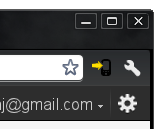
- Log into Gmail and Click on the drop down next to your email address in the upper right hand corner.
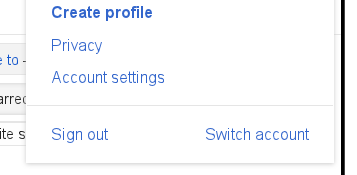
- Click on "Account Settings".
- Under the Security section, select "Using 2-step verification".
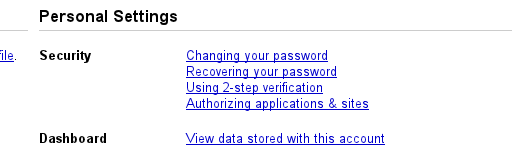
- Click on "Start setup" from the right side of the screen.

- Create a backup method by entering a phone number to text or call.
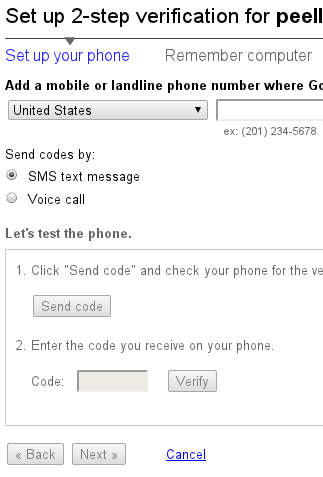
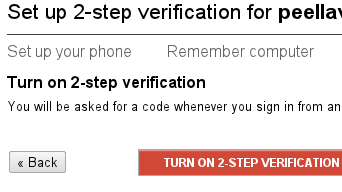
- Click on "Turn on 2 Step Verification".
- Decide what smartphone you wish to use to generate codes, and select it from the list at the top. Follow the instructions for your phone.
- Create application-specific passwords for your mobile devices and special applications, like Google Music.
What to expect
Overall, you should have confidence in the security of your account, but at the same time you should expect the nuisance of needing to run an application on your phone every 30 days, and every time you want to access your account from a new computer. Additionally, some rare applications (such as Google Music for Linux), are not written well, and won't save passwords. This means that any time you want to run that application, you need to log in and generate a new Application-specific password for it.
Google will also create some backup codes for you, I have them stored securely on one of my servers that I can access via SSH. This is in case you lose your phone at any point, you don't lose complete access to your account.
Make sure you delete unused Application Specific passwords, and enjoy the additional peace of mind and security that 2 Factor Authentication provides!
permalink