
Android Articles
#ios2weekchallenge Initial Thoughts
by Stephen Fluin 2014.10.25Google Camera & Lens Blur: The Future of Photography
by Stephen Fluin 2014.05.02Cameras have been alm ost the same for hundreds of years. Whether it was digital or analog, we stored a single two dimensional image of a scene. Modifications could be made to the photo, but there wasn't any magical extra data that could be recovered.
HDR photography has improved this; by taking multiple pictures different exposures, your camera can blend and combine multiple photos in different ways to visualize a scene differently. Somestimes this even gets closer to the way the human brain procesess light and information. Lytro is a company that also took this challenge on, building new sensor technology to allow the user to refocus a picture after it is taken.
With Google's Project Tango, it seems like the realm of computer vision and modeling is beginning to pick up steam as we are seeing the fruits of a huge amount of innovation. Project Tango takes a relatively standard smartphone, adds two cameras, a high quality gyroscope, compass, and a depth sensor to turn images of the world into a 3d model of the world automatically.
But Google has gone further, proving you don't even need two cameras or a depth sensor to gather some of this information. Using advanced algorithms, the new Google Camera
Thankfully Google has even exposed this depth map to users. Visit http://depthy.stamina.pl/ on your phone and you will be able to see and manipulate and play with any of the photos you have taken with lens blur.
The technology isn't perfect yet, and we will require higher and higher camera resolutions to take advantage of these technologies, but the future is bright.
permalink
Top 10 Predictions for Google IO 2014
by Stephen Fluin 2014.05.01A Year of Android Studio
by Stephen Fluin 2014.04.30 It has almost been a year since Google IO 2013, where Google Announced a new IDE for Android, called Android Studio. Android Studio has been a major problem for developers and development companies since this date due to the schism between Eclipse and Android Studio.
Developers have to decide whether they build applications using Eclipse and Ant using the stable toolchain and tools they have been using for years, or whether to adopt the less stable and constantly changing Android Studio. What complicates this matter is that new Android capabilities and support and documentation is coming to Android Studio faster than Eclipse.
Grade at the Heart
Whether JetBrains or Eclipse have figured out the "best" way to build an IDE doesn't really matter to me as a developer. What matters most is that my toolset gets out of the way of me writing great applications.
This may be my naivete or lack of skills, but I find Gradle to be a terrible build system. It's not terrible from a feature set, or from it's logical architecture or flexible structure. It's terrible because it gets in my way. With Eclipse and Ant, the Android build system is exposed to me as a single file configuring the use of proguard. This file is optional. To get any Android application to work, I just need to tell Eclipse that it's an Android app, and it will handle the build process. My code will work if I create a new project, or if I move my code into someone else's system.
With Gradle, this process is bad. When I check out code from the internet and try to import it into my project, it fails. If I am missing one of the five gradle files that have meaningful configured content that I must protect, nothing is going to work on my application. Why is this build system trying to hard to get in my way?
Example Gradle Failure - ChromeCast Video for Android
Code sharing should be easy. To help developers learn to build applications for ChromeCast, they have created and released a starter project called CastVideos-android. This project is available publicly on Github here:https://github.com/googlecast/CastVideos-android
When I clone this project and attempt to import it into Android Studio, everything seems to go wrong. The first time I attempted to open it, it opened the /gradle/ folder, rather than the project file, meanining there was no source code. The second time I tried, I noticed that it wanted me to find the gradle.settings or build.gradle files, and I did that, but then my project wouldn't run because Error, configuration with name 'default' was not found. How am I supposed to fix that? Your default configuration is missing? Gradle is too complicated, and its use and existing right next to working code means it gets in the way of development.
SEPARATE BUILD AND DEVELOPMENT PROCESSES. I understand they are connected and should be as smooth as possible, but look at Yeoman and Grunt, these tools do the same thing Android Studio is trying to do with Grunt, but they do them much better.
Summary
Gradle may be great for huge teams or multi-year development projects, but I would argue that most of Android development doesn't happen this way. Android is most commonly used by small 1-5 person teams that need to write code quickly and get it out to users.
permalink
Walled Garden or Desert? The story of the Miracast failure
by Stephen Fluin 2013.07.15Having just returned from a trip to my local Best Buy, I was posed the question by a friend "Would you rather live in a walled garden, or in a desert?". This can feel like the choice we are forced to make between propretiary technologies and free or standardized technologies.
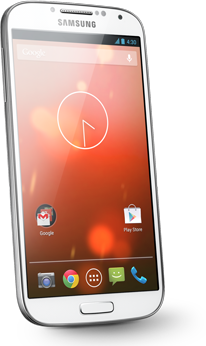 The context of the question was with the Samsung Galaxy S4 google edition (i9505g) and Miracast. At Google IO 2012, Google announced that Android 4.2 and above would be supporting the wireless display standard known as Miracast. Since then, support has been virtually non-existant. This includes both the Nexus 7 and the Nexus 10, both of which were launched with Android 4.2 (after the announcement), but without miracast.
Since then, Google has launched exactly two devices with Miracast support, the first is the Nexus 4, and the second is the Galaxy S4 Google edition.
Giving it a Try
Searching the internet for Miracast-capable devices results in around 4 devices, which state support for a confusing blur of standards, sometimes ignoring Miracast entirely. They all seem to cost $60+ at this point.
The closest thing that Samsung is pushing hard is the Allshare Cast capability, which all of their TVs and devices are equipped with. This proprietary version of display streaming seems to work very well when you have a handful of samsung devices, but do I want to be forced into using Samsung's standard and only buying their devices? If I wanted to do do that, I could just buy only Apple products and most likely have a superior experience with an iPhone, iPad, and an Apple TV.I went to Best Buy to try out Miracast's compatibility with these devices before making a purchase.
We found 6 TVs that stated support for Wireless Display, and 4 of them even showed up on my SGS4 GE as available, but connecting was flaky. Although I was able to mirror my phone on 2 Samsung TVs, the connection was slow and only lasted around 20 seconds before failing.
Results
Perhaps the Miracast technolgy is too new, it's disappointing that neither the proprietary Android world has adopted it, nor any open source versions. Theoretically Linux or Ubuntu could provide direct support for the streaming standard over Wifi, but to date there seem to be no attempts to do so. The closest was a project to add Miracast XBMC on the raspberry pi.
permalink
Photospheres Begin to Penetrate the Internet
by Stephen Fluin 2013.05.03Constant Revision Is The Only Way - GoPro's Failure
by Stephen Fluin 2013.03.30 In the modern world, there is a lot of complexity, and software is no exception. There's a hilarious xkcd that describes the splinter groups within hobbyist crazy straw fanatics, describing the fractal nature of such complexities.
One of the most annoying example of these comes with the complexity of publishing a polished high-profile mobile application. Within cameras we have digital cameras, within digital cameras we have the sports enthusiast market, within that market we have products like the GoPro. The GoPro announced The Hero 3 last year. WIthin the Hero 3 there are 3 editions. And for these editions there are mobile applications for both iOS and Android. The problem arises with the amount of effort it takes to launch applications like this.
In the 1980s there were hundreds of programmers working across the globe, in the year 2013 there are tens of millions of programmers working on building, rebuilding, and connecting software all across the globe. The net result is that there is a lot of software being built now, and it can be very hard to ensure it is all polished.
It's maddening to see applications where it's evident that a lot of time was spent, but then they miss some of the most basic details. This is the case with the Hero 3 Android Application. I haven't tried it out, but despite all of the time it took to design, build, test, and launch the application, the team responsible for putting it in the store completely failed.
https://play.google.com/store/apps/details?id=com.gopro.smarty
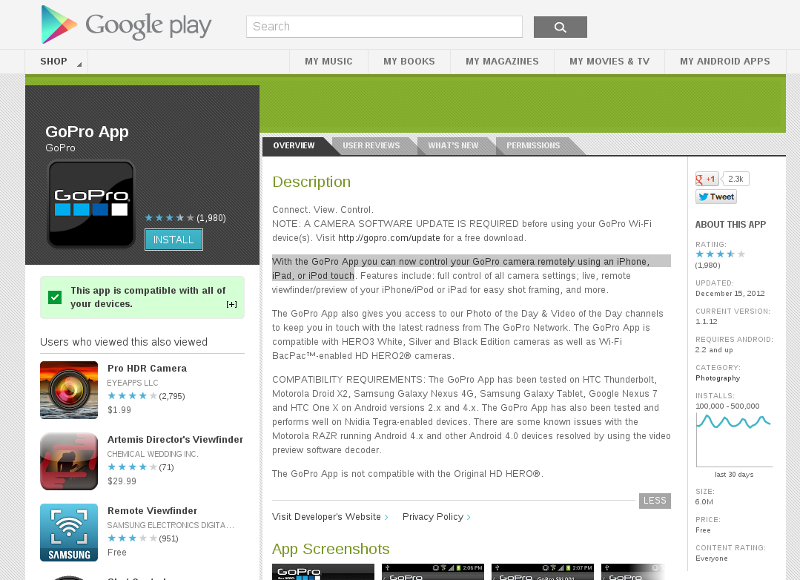 "With the GoPro App you can now control your GoPro camera remotely using an iPhone, iPad, or iPod touch." This is one of the main descriptions for the application in Google Play, the Android marketplace. How much work would it have been for the person who copied and pasted the description to fix this? How much work would it have been to tweak 3 words at any point when working on publishing updates?
Perhaps this is irrelevant, and it obviously hasn't hurt their brand or their sales, but it's still amazing that oversights like this happen, propagate, and persist. If you try to look at how to prevent and fix this paradigm, constant minor incremental improvements are the only way. Every day, try to do better than the day before, and don't like with broken windows.
permalink
Canonical Announces Ubuntu For Phones
by Stephen Fluin 2013.01.02 There is now a fourth player in the smartphone arena (and it's not RIM).
Today at 12:00PM CST, Canonical released a video recognizing the past, and announcing the future of Ubuntu. The future as proposed by Canonical's Mark Shuttleworth, is for Ubuntu to be a universal computing platform. Recognizing apps, content, and data as being universal, with customized interfaces for different form factors like Tablets, TVs, Phones, and Desktops.
This news is exciting, because being Linux and open source-based, multiple architecture and multiple device application development will be an easier dream to achieve. This would be a strong message to Apple, Microsoft, and Google that they have failed to unify all of the devices of a user. Ubuntu is a platform that I have used every day of my life for the last 4 years in the desktop space, taking that level of capability, stability, and power to other devices may be a winning combination.
In late 2012, Ubuntu TV was announced as the first extension to the Desktop Ubuntu experience. Shortly thereafter, Ubuntu for Android was announced. Ubuntu 12.10 was heavily optimized for touch and tablet interfaces. Now to complete the specturm, Ubuntu for phones is here.
Major Innovations
The biggest and most exciting accomplishment has been the promotion of web applications as true applications. I've been predicting this from Google's Android for a while, but it looks like Ubuntu may beat them too it. Apps built using HTML5 for iOS and Android will work perfectly on this device.
QML as a native development technology that combines standard application development methodologies, with simplified markup and Javascript and CSS for UI Glue is exciting.
Finally, Ubuntu has been working on intelligent and context-based menus for more than a year now. On Ubuntu phone they are exposing all of these interfaces via phone commands. Surpassing even Google's voice capabilities.
Support for Android-designed hardware is a part of the plan. This is a huge deal and something neither Microsoft or Apple could ever replicate. This means that any Android phone (and there are a ton of great ones) should be able to run Ubuntu. This means that all of the great Android hardware I've acquired should work very well with this new exciting mobile operating system.
Ubuntu's Challenges
The biggest challenge facing them is a lack of expeirence with heavy cloud applications. Historically they have relied on third parties, which could result in a fragmented or broken experience. This is exacerbated by the fact that the major service providers also have their own mobile platforms, so support may be slow coming or completely missing.
As of 1:00PM CST, their app development website is offline due to heavy load. This in interesting sign of the level of interest around developing for this platform.
Currently there's no plans for wearable computing, which will be an area for Google to innovate and easily exceed the capabilities of Apple, Microsoft, and Ubuntu.
permalink
Why I Haven't Bought a Nexus 4
by Stephen Fluin 2012.12.27I'm a huge fan of Android and Google's line of devices running the latest and greatest version of Android. In my backpack right now I currently have a Nexus 7 and a Nexus 10. In my pocket is the Galaxy Nexus. In the past I used Samsung phones like the Vibrant (USA T-Mobile version of the SGS1) and the SGS2, but since I received my Galaxy Nexus at Google IO 2012, I haven't really pined for any other phone. The Galaxy Nexus is a dual core device running the Android Jelly Bean 4.2.1. Compare this to the non-Nexus world, my family and friends on Verizon all use the Samsung Galaxy S 3 (SGS3). I have a huge amount of epxerience with other Androdi devices. Our company tests our software on a wide variety of devices, so I'm familiar with most of the devices available today.
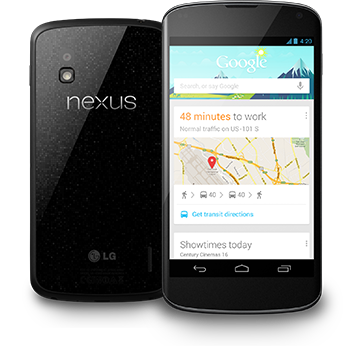 With my passion for Nexus devices and my typical cycle of upgrading my phone every 6-10 months, I'm shocked with myself that I haven't bought the Nexus 4. Despite having been sold out almost constantly since its launch, I've had 4 or 5 opportunities to buy this device through friends and through brief periods of availability. The device itself is very exciting. With its glass back, bezeled edge, and improved camera, there are a lot of things to like about the device. It's a material upgrade in technical specifications, performing on par or exceeding the latest generation such as the SGS3.
The problelm with this device is that although its technical specs are more than a 100% increase from those of the Galaxy Nexus (my primary daily driver), it's only a 3-10% increase in user experience. What I mean by this, is that although its a supercharged device, it wouldn't really change my life very much. The version of Android it runs is the same as what I have today. It doesn't come with an inductive charger, and no official inductive charger or any sort of official dock has been launched to date. It lacks an expandable battery. I don't use an expanded battery in the Galaxy Nexus, but I feel like I could if I wanted to. Samsung and Apple are decimating Google with their accessory support, and its hurting the Nexus devices. In many cases a phone or tablet isn't a complete experience until there are quality cases and docks for it.
There have been two or three occasions when I really wanted to upgrade my device. The first is when playing Ingress. It would be really nice to hack portals more quickly, and for the appilcation to load faster. I've missed a couple of portals while driving around because I was waiting for my Galaxy Nexus to catch up. The second was on bootup. I run CyanogenMod 10.1, so some of this may be my fault, but I feel like from all of the videos of this device I have seen, the power seriously manifests itself on bootup. The Nexus 4 boots in tens of seconds, rather than in minutes. This material difference can be frustrating when turning my device on and off while travelling, or when flashing custom ROMs.
Overall, due to the lack of material improvements, I'm waiting on the Nexus 4. Perhaps I'll get one if my experience with my Galaxy Nexus to degrades, or if they launch a new Nexus phone in 2013, or if Google hands me a Nexus 4 at Google IO 2013.
permalink
Android Google Play Error rpc:s-5:aec-0
by Stephen Fluin 2012.12.05Google Needs to Move Faster With Android
by Stephen Fluin 2012.11.29Android 4.2 Causes Woes and Problems for Users
by Stephen Fluin 2012.11.26Tales From The Surface Part 1
by Stephen Fluin 2012.11.01The mobile landscape is like a riptide. Across the public sector, Android is dominant across the smartphone market, and up-and-coming in the tablet world. Intel, ASUS, Acer, Samsung and LG are working on Ultrabooks to continue the desktop's legacy. In the enterprise, Apple reigns with the iPad. Microsoft, former champion of the personal computig world is a relative latecomer to the mobile space. With their Surface tablet, Microsoft is attempting to extend their former desktop dominance into the mobile space by consolidating the ideas of mobile and desktop into a single platform, and a single device.
Within hours of the launch announcement, I pre-ordered a Microsoft Surface with a cyan touch keyboard, and around noon on October 26th, I first got my hands on this new device. The following is a chronology of my feelings and observations with the tablet.
- Touch Keyboard is easier to user than expected - First getting my hands on this very interesting 3mm keyboard, I felt like I was able to find the home row and type without looking effectively. It's amazing that you can rest your fingers on the keyboard, and it recognizes the keypress only when you want to hit a key. It's also really neat how the device recognizes keyboard position, and ignores the keyboard if it's not in a position for use.
- Touch Keyboard is harder to use than expected - Once I got past the initial excitement and I got into actual content creation, I found that I was much slower than I need to be. About 30-40% of the characters are dropped when I type quickly on the device. I can increase that performance, but I have to slow down to do so, giving the device a longer wait between keypresses. Microsoft says it takes 3-4 days to become acclimatized to the keyboard.
In defense of the keyboard, one of developpers in our office commented that if a keyboard takes 4 days to learn, it was designed poorly. I disagreed, and I challenged him to a typing challenge with me on the Surface and him on the iPad. I would have smoked him out of the box having never touched Surface before.
- The touchpad on the touch keyboard is really nice - Despite my feelings about the keyboard for typing, one of the truly amazing things is there is a multi-touch pad sitting in the ultra-thin 3mm cover. It's surprisingly accurate and responsive. When the touch screen lets me down, I can always pull out the traditional cursor to get the job done. Using gestures on the touch cover feels very natural, even compared to touching the screen.
- I feel like I have no home - This was a suprising problem for me. On both Android and iOS, I seem to have developped a compulsion to return "home". On the Surface when I finish a task I don't have a default action like "home". The start menu is close, but because of the Windows 8 split between the new interactive start menu and the traditional desktop, it doesn't yet feel like home.
- It's cool and nice to have a full windows desktop - Launching any office programs pops you out into what looks like a traditional Windows desktop. This means that I have full control of multiple-window placement. The only problem with this is that are very few apps capable of using this, and Microsoft is pushing developers into using the Metro style interfaces where applications can be full screen, 1/4th screen, or 3/4ths screen. It's also strange that there are no apps for this Windows desktop due to the Windows RT complexities, which means that consumers are going to be really confused by the lack of being able to do all of the things they are used to on a Windows desktop.
- They should have put correction into their keyboard - Perhaps this is still coming, but with a non-traditional keyboard, it would have been much better to have automatic correction or prediction like Android has for the onscreen keyboards.
- Sign in problems - I can't believe I had to sign it messenger, games, office, system, store, videos, skydrive separately. There's no central account management or authentication mechanism. Each application requires independent connection to my Live account, including Office. In total I had to sign into my Live account 8 times. What happens if I change my password?
- Stock Camera asked me for permssion to take pictures and video - That made me laugh.
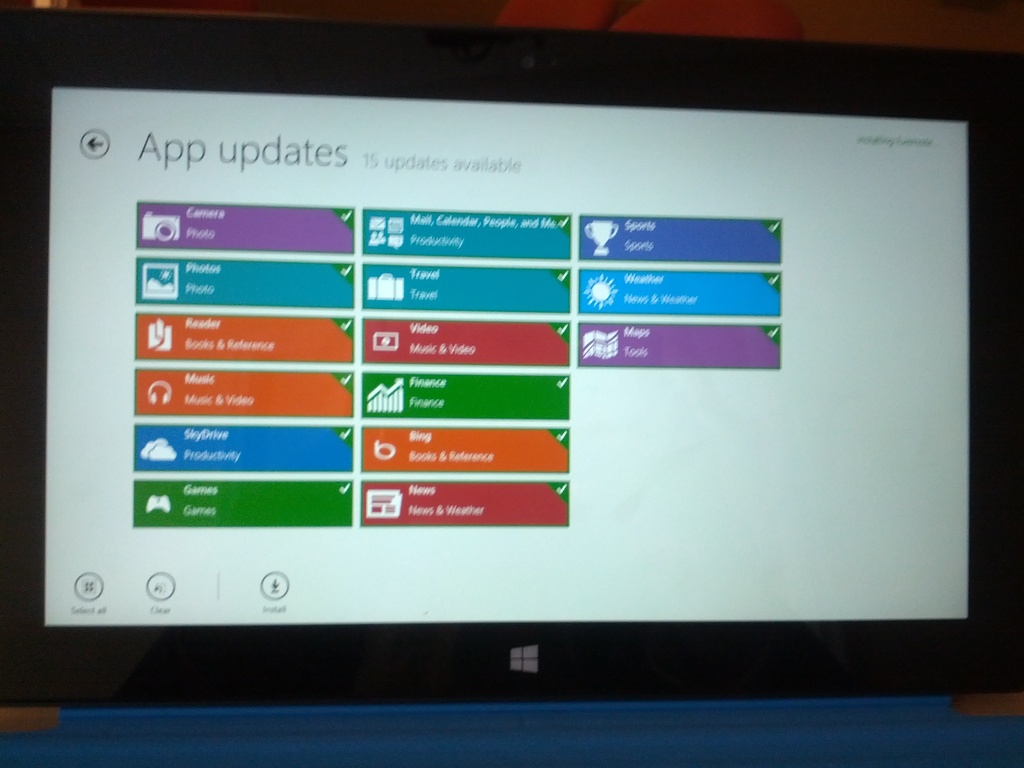
- 14 updates right away - I guess this is just launch day. These updates took almost a day to finish.
- The left side swipe navigation doesn't make sense - Why would I want to switch back and forth between two apps? My default behavior when task switching is to look for a list of running, available, or recent applications. I guess it's nice to have a gesture to go back one application, but you have to go THROUGH that interface to get to the list of appilications. Additionally, the only way to close an application is to pop open the task list, and then use the mouse to right click the icon.
- The multitasking seems really sweet - It's awesome being able to pull up evernote or an email on a portion of the screen while having a game or a website or an application open on the rest of the screen. I really wish android or iOS had that. Multitasking isn't user multitasking until you can do that. On Android it's impossible to receive an email asking about a meeting, pull out the calendar to check dates. With Surface this is now possible and easy on a tablet.
- Packaging had really nice pull tabs - The packaging was really high quality, and every piece of tape had a pull tab for easy-opening. It was a very nice touch and a rare example of packaging done well.
- I think my store crashed - I can't click o back or "install 14 updates". Had to reboot to get things going again.
- I love the kickstand - The build quality of the hardware on this device is unquestionable. The kickstand is easy to operate and makes the device really pleasant to use on a table with the keyboard.
- Weird HDMI incompatibilities - I connected the HDMI cable and then I lost left edge (task manager) capabilities. Had to go back to the smart menu,then desktop,then task manager,then switch in order to get back to evernote.
- Missing some polish - When apps launch (like email sign-in prompts) it doesn't put the focus where need it to go to start typing right away.I have to touch the screen or use the mouse to make sure the keyboard is in the right spot.
- Calendar and Contact integration is great - I added my Google accounts and everything synced quickly and easily.
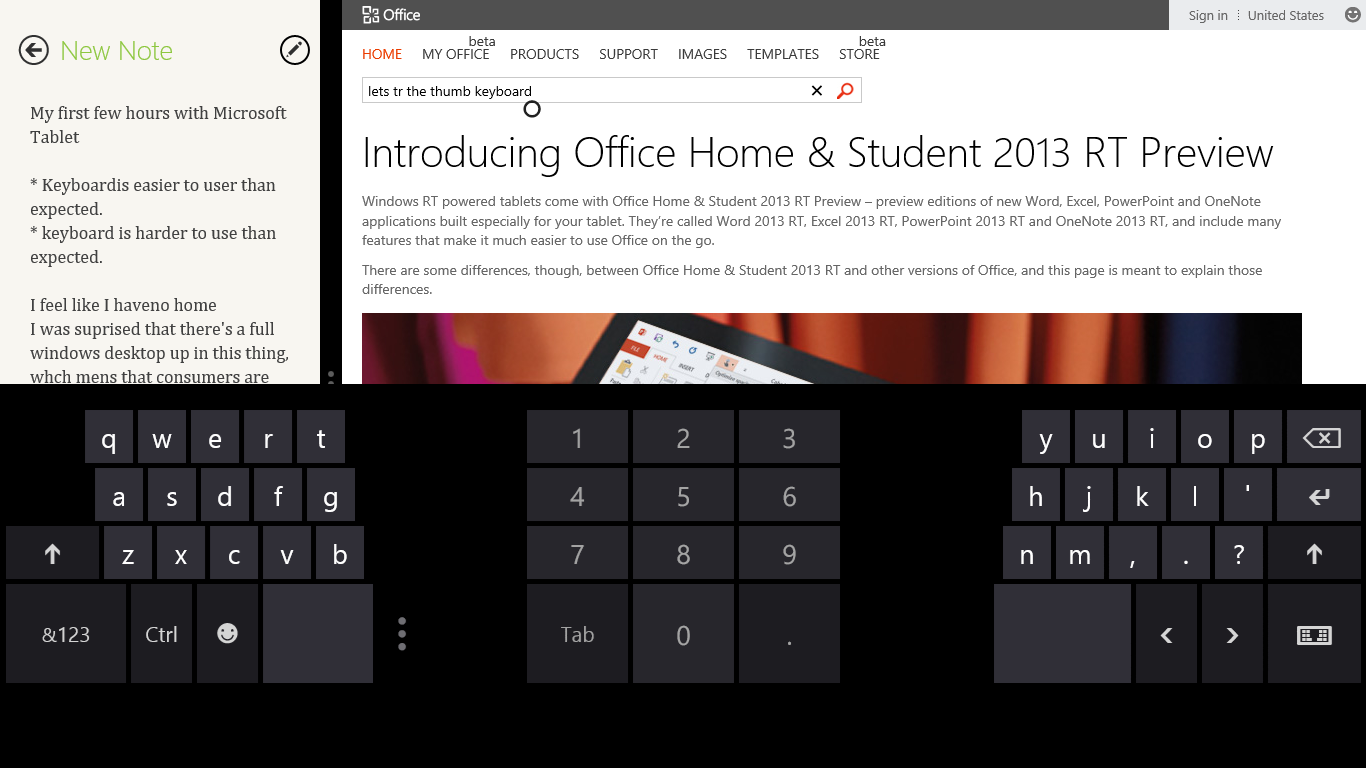
- The Soft Keyboard has a lot of whitespace - It's a little weird how much black / unused space there is on the touch keyboard. I typically love thumb-style tablet keyboards, but this one left me reaching for the hardware keyboard every time.
- Windows 8 email needs some work - I'm not a fan of the native email client on Windows 8 RT, and there are currently NO alternative native options. Gmail integration doesn't work very fast, and it doesn't suppot 2 factor authentication.
Overall now that I'm almost a week into the Surface, I find myself pulling out my Nexus 7 or Galaxy Tab 10.1 with keyboard when I really need to get things done. Whether it's missing a battery % indicator, or even just being able to see the time without touching the screen, the tiny details are adding up to a lot of frustration. I've gotten better at the keyboard, and I think that as a hardware device, the Surface is a piece of art.
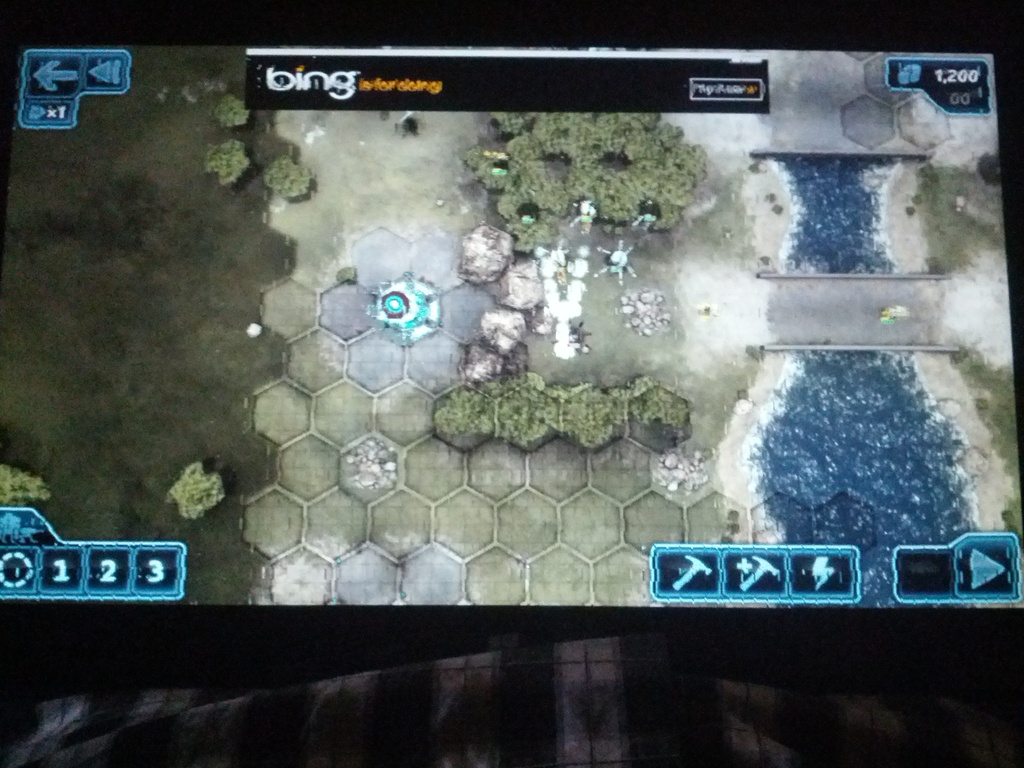
In my time with the Surface, I've also experienced several fatal application and OS-level crashes. I haven't seen the Windows RT blue screen of death, but I've had several times where the system would become unresponsive entirely, or where the visual system would become corrupted.
Windows 8 RT is going to be a confusing disaster for consumers. With all of the downsides of a new empty mobile platform, and none of the benefits of the Windows ecosystem, I predict Windows 8 RT is going to flop. Users will be happier with a traditional Windows 8 device (possibly with a touchscreen or ultrabook), or an Android or iOS tablet.
permalink
Nexus Q App Intended for Gingerbread (2.3) and Above
by Stephen Fluin 2012.07.23Google IO 2012 Was Fun
by Stephen Fluin 2012.07.10Microsoft Surface Gets The Basics Right
by Stephen Fluin 2012.06.18Today Microsoft announced the Surface tablet. It's a relatively standard tablet with a 10.6 inch screen, but they are attempting to include greater computing power, a stand, and a new ultra-flat keyboard that is similar in size to Apple's smart cover.
There are really two things that tablets have thus far failed at, despite the best we have seen from Apple with the iPad and from Google with Android 3.x and 4.0.
The First Success - Tactile Keyboards
The first big win is the presence of a touchable keyboard on the new tablet. This is an absolute requriement for successful adoption of a computing platform. Half of what we do with a computer is highly repetetive, low-creativity data input. Human speech is faster than typing on a keyboard, but typing on a keyboard is still an order of magnitude faster and more accurate than typing on a touch screen. Human speech is pretty great on Android 4.0, but definitely won't replace typing in any meaningful way because of privacy concerns, as well as lower limits on sustained high-speed input. People aren't yet used to talking to their computers for 3 hours, but they are absolutely used to sitting at their keyboard for 3 hours.
I expected touchscreens with tactile keyboards to solve this problem, similar to some of the products announced at CES this year. Microsoft has gone a different way with building a tactile keyboard in the case. I should have expected this. Every day I carry around a Galaxy Tab 10.1 with a Logitech case that doubles as a keyboard. The keyboard makes the full tablet feel heavier than it needs to though, so Microsoft's solution is suprisingly elegant.
The Second Success - Multitasking
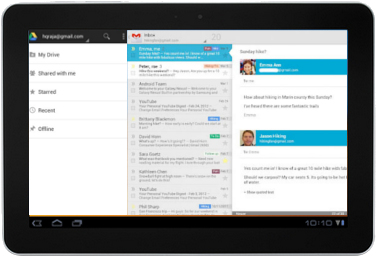
The second success in Microsoft's Surface tablet comes with the Windows 8 capability for multitasking. Android is capable of running multiple tasks simultaneously for users, but offers no interface for showing two screens at the same time. This is an absolutely critical feature for tablets to take a spot in the long term computing world. Countless times, I've wanted to type or edit a document while looking at an email. This is completely impossible on Android or iOS. I have even resorted to taking a picture with my phone, or combining my phone and tablet to achieve this effect in desperate situations.
Although they have not yet proven this feature, and the word is that it will require developer support, being able to show multiple applications simultaneously will win this tablet a solid place in the world of computing. Android has a huge opportunity to take the lead here though, because their applications are already optimized
for multiple screen resolutions. Imagine the email app running on 70% of the screen, and then phone version of 4 square running in the remaining 30% space. If Google had the guts and the brains, they would have already done this with Jelly Bean, and my fingers are crossed.
permalink